


Harman Kardon Citation Surround
Details https://tw.harmankardon.com/CITATION+SURROUND.html?dwvar_CITATION%20SURROUND_color=Black-APAC-Current環繞聲,帶來身臨其境的電影體驗
環繞聲,帶來身臨其境的電影體驗

一流工業設計
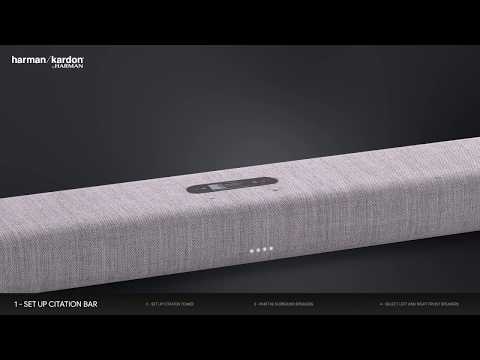
Citation Surround 融合了家庭音響娛樂的創新與精緻美觀的設計。Kvadrat 製造的優質混紡羊毛面料具有防塵和阻燃的特性。

音質與精緻
65 年來,Harman Kardon 一直致力於提供奢華的音訊體驗,讓聽眾用心感受音樂並讓他們沉浸在當下。Citation 對音質提供極致表達,是世界上首個真正的高端產品。

電影無線環繞聲
無需所有纜線即獲得完整的家庭影院環繞聲體驗。透過加入 Citation Bar、Citation Sub 及/或 Citation Tower 設定 5.1 系統,獲得終極電影、運動和遊戲體驗。

為多聲道環繞聲做好準備
Citation Surround 與 Citation Bar 或 Citation Bar 及 Tower 一起,提供令人印象深刻的多聲道家庭影院環繞聲體驗。

始終表現最好
利用自動軟體更新以獲得新功能和服務,您的音樂和語音選項將始終保持最新狀態。

無線連接
無需將音訊纜線連接到 Citation Surround,即可無線連接,使設定輕而易舉。

Harman Kardon Citation Surround 是一款次世代無線環繞聲喇叭。Citation Surround 設定及使用都十分簡單,融合了家庭音響的創新及對設計細節的關注,提供精緻外觀,在與 Citation Bar、Citation Sub 及/或 Citation Tower 配對時為沉浸式電影和音樂體驗提供環繞聲。無需纜線即獲得完整的 5.1 家庭影院環繞聲體驗。利用自動軟體更新,Citation Surround 將始終保持最新、最佳的狀態。
一般規格
Audio Specifications
尺寸圖
- 2 個 Citation Surround
- 2 個掛牆托架
- 1 本快速入門指南
- 1 本保固說明書
- 1 本安全說明書
- 2 條電源線(1.8m)

General information about WiSA:
\nWiSA is a wireless system designed specifically for audio and speakers. An audio system that incorporates WiSA technology has it's own internal wireless system. It is capable of doing 96kHz/24bit audio with an audio latency of only 5ms, virtually undetectable by the human ear.For more information on WiSA technology, please go to the official WiSA website.
If a product is WiSA Certified, it can be used with any other WiSA certified product. For example a WiSA Ready TV with at transmitter.
Note: The overall sound quality is dependent on the processing and setup in the WiSA TV & transmitter, and may result in a performance (EQ, crossover and levels) not intended by the speaker manufacturer. To be sure that the Citation products sound the best, use a Citation Bar product as the main "hub".\n
WiSA Certified products:
\nCitation SurroundsCitation Sub
Citation Sub S
Citation Towers\n
Products making use of WiSA technology (not certified):
\nCitation BarCitation Multibeam 700
HK surround\n
Limitations:
\nWiSA does not offer 3D audio formats like Dolby Atmos, and DTS:X yet, so at the moment it is limited to 5.1 or 7.1 Dolby Digital. So regardless of which brand of WiSA speaker you choose, Dolby Atmos will not be available yet.","Answer__c":"General information about WiSA:
\nWiSA is a wireless system designed specifically for audio and speakers. An audio system that incorporates WiSA technology has it's own internal wireless system. It is capable of doing 96kHz/24bit audio with an audio latency of only 5ms, virtually undetectable by the human ear.For more information on WiSA technology, please go to the official WiSA website.
If a product is WiSA Certified, it can be used with any other WiSA certified product. For example a WiSA Ready TV with at transmitter.
Note: The overall sound quality is dependent on the processing and setup in the WiSA TV & transmitter, and may result in a performance (EQ, crossover and levels) not intended by the speaker manufacturer. To be sure that the Citation products sound the best, use a Citation Bar product as the main "hub".\n
WiSA Certified products:
\nCitation SurroundsCitation Sub
Citation Sub S
Citation Towers\n
Products making use of WiSA technology (not certified):
\nCitation BarCitation Multibeam 700
HK surround\n
Limitations:
\nWiSA does not offer 3D audio formats like Dolby Atmos, and DTS:X yet, so at the moment it is limited to 5.1 or 7.1 Dolby Digital. So regardless of which brand of WiSA speaker you choose, Dolby Atmos will not be available yet.","ArticleType":"How_Tos__kav"},{"attributes":{"type":"Knowledge__kav","url":"/services/data/v45.0/sobjects/Knowledge__kav/ka2Kd000000QfiXIAS"},"Title":"Factory Reset Procedure: Citation Series","Id":"ka2Kd000000QfiXIAS","ArticleNumber":"000053756","Question__c":"Factory Reset Procedure: Citation Series","Process__c":"Citation Series
\nNote: This action will erase all network settings and Bluetooth data from the device. You will be required to connect your device to the network again after this action is done.
\n\n
Citation 100, Citation 100MK2, Citation 300, Citation 500, Citation Adapt, Citation Bar, Citation MultiBeam 700, Citation MultiBeam 1100, Citation Oasis DAB, Citation Oasis FM, Citation One, Citation OneMK2, Citation OneMK3, Citation Sub, Citation Sub S, Citation Surround, Citation Tower
\n- Turn the soundbar, speaker, or subwoofer ON
- Press and hold the Reset button for more than 5 seconds
- The speaker or sound bar will power off and be factory reset
\n
Citation 200
\n- Turn the speaker ON
- Press and hold the Volume (-) & Multi Function button for more than 5 seconds
- The speaker will power off and be factory reset
Citation Series
\nNote: This action will erase all network settings and Bluetooth data from the device. You will be required to connect your device to the network again after this action is done.
\n\n
Citation 100, Citation 100MK2, Citation 300, Citation 500, Citation Adapt, Citation Bar, Citation MultiBeam 700, Citation MultiBeam 1100, Citation Oasis DAB, Citation Oasis FM, Citation One, Citation OneMK2, Citation OneMK3, Citation Sub, Citation Sub S, Citation Surround, Citation Tower
\n- Turn the soundbar, speaker, or subwoofer ON
- Press and hold the Reset button for more than 5 seconds
- The speaker or sound bar will power off and be factory reset
\n
Citation 200
\n- Turn the speaker ON
- Press and hold the Volume (-) & Multi Function button for more than 5 seconds
- The speaker will power off and be factory reset


